
Samsung Phone Buying Guide
Check out the Samsung Phone buying guides below for everything you need to know about the latest tech and features.



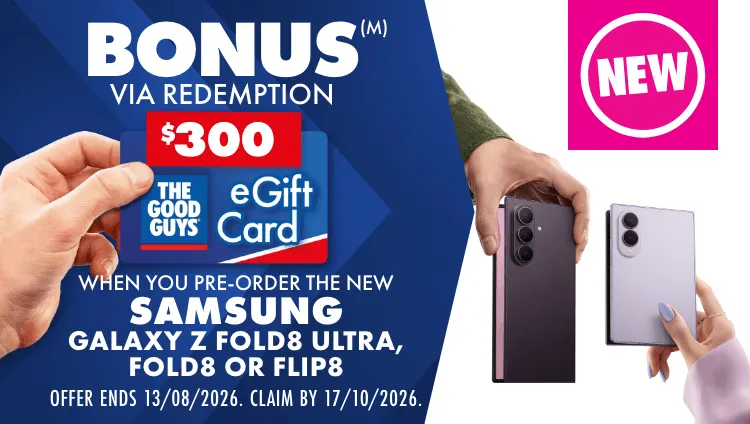
(M)Offer Starts 12:01am AEST 23/07/2026 and ends 11:59pm AEST 13/08/2026. Customers must pre-order the eligible product before Offer end date. Offer available in store, online and by phone (excludes commercial orders). Must be redeemed after delivery/receipt of the goods by lodging a claim here by 17/10/2026. The Good Guys eGift Card issued to customer by email within 7 days of successful redemption. Limit of one bonus per eligible model purchased & maximum of 3 bonuses per customer. The Good Guys eGift Card is subject to T&Cs available here. For full details including list of eligible models and eGift Card amounts visit here.

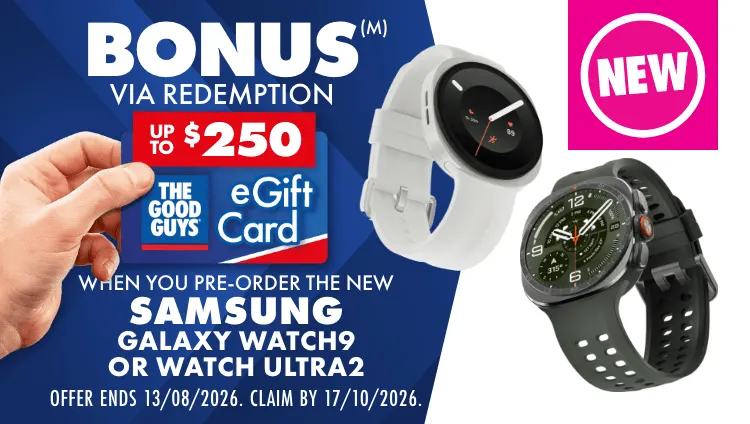
(M)Offer Starts 12:01am AEST 23/07/2026 and ends 11:59pm AEST 13/08/2026. Customers must pre-order the eligible product before Offer end date. Offer available in store, online and by phone (excludes commercial orders). Must be redeemed after delivery/receipt of the goods by lodging a claim here by 17/10/2026. The Good Guys eGift Card issued to customer by email within 7 days of successful redemption. Limit of one bonus per eligible model purchased & maximum of 3 bonuses per customer. The Good Guys eGift Card is subject to T&Cs available here. For full details including list of eligible models and eGift Card amounts visit here.
Samsung Phone buying guides
Not sure what Samsung Phone is right for you, deepdive into Samsung's incredible range with the below Buying Guide's. Meet the Samsung Galaxy FE Series, Galaxy Z Series, Galaxy S Series and Galaxy A Series and find your perfect match at The Good Guys.

card media link to /buying-guide/samsung-galaxy-z-phone-range
Flip or fold? Get to know why the Galaxy Z Range could be your perfect fit.

card media link to /buying-guide/samsung-galaxy-s-phone-range
The next frontier of smartphone tech, meet the latest Galaxy S26 Range.

card media link to /buying-guide/samsung-galaxy-a-phone-range
Awesome is for everyone. Meet Samsung's Galaxy A37 and A57 Series.

card media link to /buying-guide/samsung-galaxy-fe-range
Samsung's FE Range is made for you to create and play on the go.


Learn about the Samsung Ecosystem
Find out which other Samsung products work hand in hand to create an ecosystem in your home. From cooking to fridges and televisions, Samsung products work together to seamlessly integrate into your home and make life easy.

card media link to /samsung-galaxy-watch-series
Meet the smartwatch that knows you the best with the Galaxy Watch Range from Samsung.

card media link to /buying-guide/samsung-fridge-range
Store fresh food for your family with ease and take the stress out of entertaining with a Samsung fridge. Featuring innovative technology and clever storage solutions, these fridges are the perfect addition to any modern kitchen.
card media link to /buying-guide/samsung-tv-range-buying-guide
Take your home viewing, streaming and gaming to the next level with a Samsung TV and Soundbar available online or in store at The Good Guys.

card media link to /buying-guide/samsung-galaxy-tab-series-buying-guide
The Samsung Galaxy Tab S9 series sets a new standard of tablets. Work and create wherever your heart desires with a responsive display.

card media link to /buying-guide/samsung-lifestyle-tvs
Upgrade to a Samsung Lifestyle TV, designed for the way you live. The range includes The Frame, The Serif, The Terrace and The Premiere, all packed with innovative features and the latest technology. Pay Less Every day at The Good Guys.


We think you might also like ...

card media link to /whats-new/why-you-need-the-samsung-galaxy-a-series
Samsung Galaxy A Series: the A stands for awesome
Updated 6 August 2026 · 4 mins readThe tech whizzes at Samsung are on a roll. Hot on the heels of their epic Samsung Galaxy S25 Series release, four additions to the Galaxy universe continue to impress Android lovers everywhere. The awesome A Series, Galaxy A57 5G and Galaxy A37 5G – are innovative and budget-friendly Samsung phones packed with the best features yet, putting awesome camera capability, battery life, connectivity and value at your fingertips.
“The Galaxy A Series is Samsung’s mid-range offering, which offers big value and next-gen features. These phones behave like high-end smartphones,” says John Wong, The Good Guys Buyer – Mobiles and Plans. “This latest range has stepped it up again, making awesome Samsung tech available to everyone.”
Looking to upgrade? Here's why the A Series should be top of your list:
card media link to /whats-new/samsung-galaxy-S26-series-everything-to-know
Samsung Galaxy S26 Series: Meet your new superpower
Updated 4 May 2026 · 4 mins readLife doesn’t hit pause. Between packed calendars, endless messages, and trying to capture the moments that actually matter, we could all use a little extra help. Enter the Samsung Galaxy S26 Series – a Samsung phone range that is so intuitive it’s like a superpower in your pocket. Building on the speed and clarity everyone loved in the Samsung S25 Ultra, the S26, S26+ and S26 Ultra add an extra trick to their repertoire: They make everyday life feel simple.
“The new range of Samsung Galaxy phones are more than just ‘smart’ phones – they’ve made the leap to become genuinely intuitive phones,” says John Wong, The Good Guys Buyer – Mobiles and Plans.
“The Galaxy S26 Series doesn’t just wait for your commands; the integrated Galaxy AI actively helps you get things done, making suggestions and optimising settings without you lifting a finger. It’s the upgrade that gives you time back.”
So, what is the latest Samsung phone bringing to the table? Here are the features that help the Samsung Galaxy S26 Series redefine effortless living…

card media link to /whats-new/flip7-and-fold7-meet-the-thinnest-and-smartest-samsung-galaxy-yet
Your lifestyle, upgraded: New Galaxy Z 7 Series revealed
Updated 9 July 2026 · 4 mins readYou know that feeling when your tech just gets you? Like when your phone fits your pocket and your meeting-packed calendar, or when your watch doubles as a personal trainer? The latest Samsung Galaxy smartphone and watch drop – featuring the Samsung Galaxy Z Flip7, Z Fold7, Flip7 FE and the upgraded Galaxy Watch8 Series – matches your momentum.
“With Galaxy AI included across the entire Samsung Galaxy Z range, these devices aren’t just a tech upgrade – they’re a lifestyle upgrade,” says John Wong, The Good Guys Buyer – Mobiles and Wearables.
Whether you’re emailing between brunch and barre class, or folding out a full screen on the train to catch the latest K-drama, this line-up is here to keep you ahead and make it look easy. So the only question left is, which new Samsung ticks all of your boxes? Find your favourite here…

card media link to /whats-new/samsung-galaxy-s25-could-be-best-phone-of-the-year
Why the Samsung Galaxy S25 could be this year's best phone
Updated 30 June 2026 · 5 mins readThere are smartphones, and then there’s the epic new Samsung Galaxy S25 range (available now for pre-order). Packed with exciting new smart tech and AI capabilities to simplify daily life, and flaunting a curvaceous new design, the S25 Samsung phone range is everything Android users have been waiting for. And, for anyone considering switching to Android, there’s never been a better time to get acquainted with a Samsung. Did someone say must-have new colours, camera upgrades and a biggest-yet AI-powered screen?
card media link to /whats-new/how-the-samsung-flip6-and-fold6-can-enhance-the-everyday
The latest Samsung foldables are their most flexible Smartphones
Updated 4 May 2026 · 4 mins readCalling all foldable fans! The new Galaxy Z Fold6 and Flip6 mobiles from Samsung have just upped the game on flexible smartphones. Even more you-shaped than before, they’re stacked with a host of impressive Galaxy AI features to fit your lifestyle, flex your creativity and enhance your everyday … as well as some pretty cool design updates too.
Whether you’re a flipper or folder, the latest foldable handsets from Samsung Australia let you enjoy quick navigation, next-level multitasking and improved performance – along with lashings of style and that irresistible bendable design we’ve come to expect from the top player in the foldable niche.
“Foldable phones are becoming more popular by the minute, so it makes sense that Samsung have focused on bringing their best AI game to their most flexible mobile devices in 2024, in a bid to boost the user experience,” says John Wong, The Good Guys Buyer – Mobile Phones.
Keen to join the fold? The Samsung Galaxy Z 2024 range heralds a new age of productivity and performance for foldables via a durable, slim design and optimised by Galaxy AI smarts.
And they haven’t stopped there. To make living your best life even easier, the latest additions to the Galaxy ecosystem – the Samsung Watch7 and Watch Ultra and Samsung Galaxy Buds3 and Galaxy Buds3 Pro – can integrate seamlessly to your phone. But first …

card media link to /whats-new/galaxy-ai-features-to-excite-every-samsung-smartphone-fan
4 Galaxy AI features to excite every Samsung fan
Updated 6 August 2026 · 4 mins readThey’re sleek, they’re seamless – and they’re the smartest Samsung phones yet. Powered by game-changing AI enabled featuresα, the new Galaxy S24 series delivers a bright new era of intuitive smartphone technology so you can connect, create and play like never before.
How? By bringing you groundbreaking new ways to search your favourite content, blast language barriers, and snap spellbinding photos just like the pros. And that’s just for starters!
“With the new Galaxy S24 series, Samsung continues to push the boundaries of what we can expect from a mobile phone with advanced AI-driven functionality paired with enhanced performance and design,” says John Wong, The Good Guys Buyer – Mobiles and Plans.
Adds Dr Won-Joon Choi, Head of Flagship R&D, Mobile eXperience Business at Samsung: “Galaxy AI is our most comprehensive intelligence offering to date, and it will change how we think about our phones forever.”
Whether you’re a Samsung Galaxy superfan or looking for the latest AI smarts in your next phone upgrade, you’ll love these four AI features that make the Galaxy S24 experience both epic and effortless.

card media link to /whats-new/why-you-need-the-samsung-galaxy-S23
5 reasons to upgrade to the NEW Samsung Galaxy S23
Updated 4 May 2026 · 4 mins readYou heard it here first! Samsung has nailed it again with its latest Galaxy smartphone launch. Say hello to the sleek new range – the GalaxyS23, Galaxy S23+ and flagship Galaxy S23 Ultra – bursting with the best mobile tech yet, and available in hot new colours that will make your mobile your most fashion-forward accessory.
You'll want one of these next-gen phones for the unmatched camera; you'll need one for its powerful gaming performance; and you'll simply HAVE to have one for all the epic Samsung features that you know you can't live without.
“Let’s face it – every time Samsung launches a new smartphone, we can’t wait to get our hands on it,” says John Wong, The Good Guys Buyer – Mobile Phones. “Samsung knows how to deliver reliable functionality while exciting us with new features that keep the brand on the cutting edge of mobile tech.”
Here are the top five reasons that make the new Samsung phone a must-have for your shopping cart:

card media link to /whats-new/how-the-samsung-galaxy-ecosystem-can-make-your-life-easier
How the Samsung Galaxy ecosystem can make life easier
Updated 7 July 2026 · 3 mins readThe only thing better than owning one Samsung Galaxy device is owning two or three (or more!) and tapping into the powerfully connected Galaxy ecosystem. Samsung’s latest smartphones, smartwatches and tablets are standalone sensations packed with must-have features but combined, they’re your ticket to a smarter, more synchronised Galaxy experience, designed to make everyday life easier.
Samsung Phone FAQs
Yes, you can create a Samsung account without a Samsung phone. You can create a Samsung account simply through the Samsung website (as well as using any Samsung mobile phone). A Samsung account gives you access to many services and features.
There are three ways to turn off a Samsung phone. You could press and hold the side key, then select Power Off twice to confirm. You can use the Quick Settings panel, which you access from swiping down on the screen with two fingers. Then, tap the Power Off twice to confirm. Lastly, you could use Bixby Voice, simply activate and then say 'Turn off the phone.'. Bixby will ask you to confirm before powering down your device.
The Galaxy S and Note series are premium smartphone lines from Samsung, designed for high performance and advanced features. While both offer cutting-edge technology, the Galaxy S series typically focuses on flagship performance, camera quality, and sleek design, making it ideal for general users. On the other hand, the Note series is geared toward power users, featuring a larger display, enhanced productivity tools, and the signature S Pen for note-taking and creative tasks.
Samsung makes it easy to transfer data between devices using the Smart Switch app. Connect both phones with a USB-C cable, launch the Smart Switch program, and follow the prompts. Typically, you'll select Backup on the source device and approve the transfer by tapping Allow on your phone. This method supports transferring apps, files, settings, and more.
To reset a Samsung phone, you can perform a factory reset or reset your mobile accessibility settings. Check out Samsung's guide on how to perform a factory reset on your galaxy phone or tablet for more info.
Yes, many Samsung Galaxy smartphones support expandable storage. By inserting a microSD card, you can significantly increase the phone’s storage capacity for photos, videos, apps, and other data. Note that the availability of this feature may vary depending on the specific model.
The lifespan of a Samsung smartphone can range from 3 to 5 years, depending on usage and care. Factors like regular software updates, avoiding physical damage, and proper battery maintenance can help extend its longevity. Regular care and timely upgrades ensure that your device remains functional and reliable for years.