loading
loadingloading

Press Esc to close the search results, the Up and Down arrow keys to navigate the results, and Enter to select a result.

Participating Credit Cards. 24 Months Interest Free.
No Interest. No Deposit. Monthly payments required.




4.5 out of 5 stars from 52 reviews
88% of users recommend this product
I recently started using the Brother Colour Laser Multifunction Printer MFC-L8690, and it has been a reliable choice for both office and home use. The print quality is excellent, with sharp text and vibrant colour output that looks professional for documents, reports, and presentations. The multifunction features are very convenient, allowing me to print, scan, copy, and manage daily paperwork easily from one machine. The printing speed is impressive, especially when handling larger documents, and the automatic features help save time during busy workdays. The printer feels sturdy and well-built, with an easy-to-use control panel and practical connectivity options. Setting it up was straightforward, and it works smoothly for regular printing needs. The toner capacity is also helpful for reducing frequent replacements. Overall, the Brother Colour Laser Multifunction Printer MFC-L8690 is a dependable and efficient printer with great performance, good print quality, and useful features. It is a solid option for small offices, businesses, or anyone who needs a reliable colour multifunction printer.
Abhishek Gupta
Confirmed purchase 23 March 2023
Published on 21 July 2026
Yes, I recommend this product.
This customer is a verified purchaser who may have received an incentive in return for providing an authentic review.
Sorry very unhelpful. The port doesnt work and the company is unhelpful even when we purchased gold service warranty. After 3 weeks we are returning it
small business owner
Confirmed purchase 30 April 2026
Published on 29 May 2026
This customer is a verified purchaser who may have received an incentive in return for providing an authentic review.
all essential features from scan to copy, duplex printing and wireless printing
maria p
Confirmed purchase 22 January 2026
Published on 5 February 2026
Yes, I recommend this product.
This customer is a verified purchaser who may have received an incentive in return for providing an authentic review.
I have not had the printer very long, but it was easy to set up and connect wirelessly through my nbn internet connection. I have printed in both black and white and colour so far and have also done double-sided printing, all without any problems. The print quality is good. I was initially hesitant to buy this model (I wanted the next model down, as it was a more compact size), but I can't fault this one so far. It is sitting on my computer desk and I still have enough space to function well using my laptop and 32-inch monitor.
Linda
Confirmed purchase 26 December 2025
Published on 21 January 2026
Yes, I recommend this product.
This customer is a verified purchaser who may have received an incentive in return for providing an authentic review.
I will never deal with The Good Guys again, repeatedly lied to when it came to all updates regarding delivery. Took almost 2 weeks to get delivered when they said it was in stock in Rockhampton 40 minutes away absolute crap service.
Scott Bailey
Confirmed purchase 13 December 2025
Published on 6 January 2026
This customer is a verified purchaser who may have received an incentive in return for providing an authentic review.
Very quick and very quiet
Sam
Confirmed purchase 14 June 2025
Published on 9 July 2025
Yes, I recommend this product.
This customer is a verified purchaser who may have received an incentive in return for providing an authentic review.
Replacement for old monchrome printer. Larger than planned but duplex scanning not available on smaller MFP's. Print excellent. Easy to set up via wi fi
Steve
Confirmed purchase 27 May 2025
Published on 17 June 2025
Yes, I recommend this product.
This customer is a verified purchaser who may have received an incentive in return for providing an authentic review.
Replacement for old ink jet printer with tha advantage of laser printing. Did have to go up to this unit as cheaper unit had duplex printing BUT not duplex scanning.
Steve - Bundy
Confirmed purchase 27 May 2025
Published on 11 June 2025
Yes, I recommend this product.
This customer is a verified purchaser who may have received an incentive in return for providing an authentic review.
The best thing about this printer, besides its speed, low noise and perfect printing, is how easy it was to set up, nothing hard about the set up process at all, done in a flash and comes with ink so ready to use upon set up.
Julie
Confirmed purchase 2 March 2025
Published on 25 March 2025
Yes, I recommend this product.
This customer is a verified purchaser who may have received an incentive in return for providing an authentic review.
Print quality
Jamie
Confirmed purchase 26 February 2025
Published on 25 March 2025
Yes, I recommend this product.
This customer is a verified purchaser who may have received an incentive in return for providing an authentic review.
You've viewed 10 of 52 reviews
The below information is AI generated based on Australian websites information around this item. We have done our best to ensure its accuracy but suggest verifying any information within this tab before purchasing.
The Brother MFC-L8690CDW is a colour laser multifunction printer built for small to medium offices that need reliable print, scan, copy and fax in one device. Its strengths are fast 31 ppm printing, duplex print and scan, and flexible wireless or Ethernet setup. A key limitation is its large, 27.9 kg footprint, so it needs dedicated space rather than suiting compact desks.
It offers strong all-round office performance, but businesses needing very high paper capacity, lighter desktop placement, or advanced enterprise finishing may prefer a more premium departmental model.
Strong fit for small to medium offices and shared teams needing reliable colour printing, scanning, copying and faxing.
Best for dedicated home offices with regular document workloads; less ideal for casual home use due to its large size and office-focused design.
Below average with high-yield toner support, especially for offices printing regularly.
6/10 - typical for a business-class colour laser printer; fine in office settings but noticeable in quiet rooms.
8/10 - wireless, Ethernet and USB options make installation flexible for most office environments.
A: Yes. This model supports automatic 2-sided print and scan, so it can handle double-sided business documents without manually turning each sheet over. That is useful if contracts, invoices or reports are regularly scanned in batches.
A: It supports both wireless networking and Gigabit Ethernet, which gives flexibility for either cable-free placement or a faster wired office connection. Ethernet is usually the better choice where several users print to the same device each day.
A: This printer uses replaceable toner consumables and supports high-yield toner options, which can be a better fit for frequent office printing. It is also a laser model, so toner and drum components are separate rather than a single ink cartridge system.
A: Yes. With print speeds of 31 ppm in colour and monochrome, plus scan, copy and fax functions, it is aimed more at steady office workloads than casual use. Its 27.9 kg body and multifunction design also make it a more substantial unit than a basic home printer.
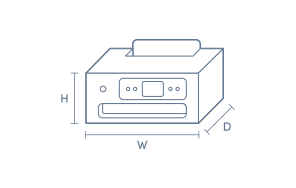
A: The printer body measures about 435 mm wide, 539 mm deep and 526 mm high in Brother's typical outline dimensions. It is not a compact desktop unit, so allow extra room around it for paper loading, output access and the scanner lid to open comfortably.
A: Power use is around 580 W while printing, about 70 W when ready, 10 W in sleep mode and roughly 1.4 W in deep sleep. That means it draws much less power when idle, but active printing still needs a typical office-grade laser printer load.
¤Discounts apply to previous ticketed/advertised price prior to the discount offer. As we negotiate, products will likely have been sold below ticketed/advertised price prior to the discount offer.
▽The Good Guys acts as agent for the supplier of this product. Refer to Agency supplier’s T&Cs available on supplier’s website. Discounts apply to Agency supplier’s list price of the relevant product.
>Qualifying conditions, including signing up to 90 Day StoreCash, activating a Digital Wallet before being eligible to earn/win and where a qualifying purchase is required, delivery/collection of product within 60 days. 90 Day StoreCash expires 90 days after issue. Personal purchases only. Exclusions and purchase limits apply. Each 90 Day StoreCash reward must be used in one transaction and no change/credit for any unused balance. Refer to 90 Day StoreCash T&Cs for details, including how to receive 90 Day StoreCash deposit notifications, how to earn & timing for issue of 90 Day StoreCash.