



TP-LINK AX3000 Dual Band Wi-Fi 6 Wireless USB Adapter
ARCHER-TX50U


Online Only


Product Overview
Key Features
- Dual-Band Wi-Fi Speeds up to 3Gbps
- USB 3.0
- MU-MIMO and OFDMA technology
- Plug & Play
- Compatible with Windows 10/11
Key Specifications
- Brand:
- TP-LINK
- Model Number:
- ARCHER-TX50U
- Security:
- WEP, WPA/WPA2/WPA3, WPA-PSK/WPA2-PSK
- Connections:
- USB 3.0
- Wi-Fi:
- Wi-Fi IEEE 802.11a/b/g/n/ac/ax
- Type:
- Wi-Fi USB Adapter
Computers & Tablets
- Antennas:
- 2× Dual-Band Antennas
Connections
- Data Transfer Speed:
- Up to up to 3000 Mbps (2402 Mbps on 5 GHz + 574 Mbps on 2.4 GHz)
General Information
- Colour:
- Black
- What's In The Box:
- AX3000 Dual Band Wi-Fi 6 Wireless USB Adapter
Warranty
- Manufacturer's Warranty:
- 3 Year
Computers & Tablets
- Antennas:
- 2× Dual-Band Antennas
General Information
- Colour:
- Black
- What's In The Box:
- AX3000 Dual Band Wi-Fi 6 Wireless USB Adapter
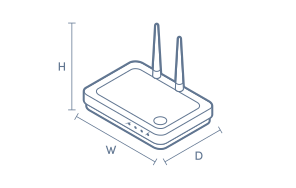
Product Dimensions
- Product Height (mm):
- 43.9
- Product Width (mm):
- 19.4
- Product Depth (mm):
- 7.9
Box Dimensions
- Box Height (mm):
- 130
- Box Width (mm):
- 140
- Box Depth (mm):
- 30
- Box Weight (kg):
- 0

No reviews found for this product.
Product Reviews of TP-LINK AX3000 Dual Band Wi-Fi 6 Wireless USB Adapter

Overall Rating Snapshot
You've viewed 0 of 0 reviews
The below information is AI generated based on Australian websites information around this item. We have done our best to ensure its accuracy but suggest verifying any information within this tab before purchasing.
At a glance
The TP-LINK AX3000 Dual Band Wi-Fi 6 Wireless USB Adapter is a compact, high-speed solution for upgrading desktops or laptops to the latest Wi-Fi 6 standard. Perfect for users needing faster, more reliable wireless connections for work or entertainment, it features simple plug-and-play setup and robust security. Its main limitation is the lack of external antennas, which may reduce range compared to specialist adapters.
What it’s great for
- Streaming
- Online Gaming
- Video Conferencing
- Fast File Transfers
- Everyday Productivity
Where it works best
- Home Office
- Apartment
- Shared Workspace
- Student Accommodation
Who it’s for
- Remote Worker
- Student
- Home User
- Small Business Professional
Things to consider
Does not include external high-gain antennas, so range and signal strength may be lower than premium or specialist adapters in large homes.
Compatibility with major brands
Compatible with most modern Wi-Fi routers and access points from leading brands.
Ease of setup score
9/10 - Internal driver and plug-and-play support make installation nearly effortless.
Home office suitability
Excellent for home offices needing fast, stable Wi-Fi and secure connections.
Upgrade flexibility
Ideal for upgrading older PCs or laptops to Wi-Fi 6 without opening the case.
Durability vs category average
8/10 - Solid build quality for a USB adapter, but no ruggedisation for heavy travel use.
Key benefits
- Wi-Fi 6 Dual Band: Supports up to 3000 Mbps for faster, smoother wireless connections.
- Plug-and-Play Setup: Internal driver enables quick, hassle-free installation on Windows 11/10.
- USB 3.0 Interface: Delivers up to 10x faster data transfer than USB 2.0.
- Advanced Security: WPA3 protocol provides enhanced protection for your network.
- Mu-mimo & ofdma: Reduces latency and improves performance in busy networks.
- Compact Design: Small form factor is easy to carry and fits neatly in any workspace.
- Dual-Band Flexibility: Connects to both 2.4 GHz and 5 GHz networks for optimal performance.
- Windows Compatibility: Fully compatible with Windows 11 and 10 for broad device support.
Q: Does this TP-LINK AX3000 USB adapter need a Wi-Fi 6 router to work?
A: No, it can connect to older Wi-Fi 5 and Wi-Fi 4 routers as well as Wi-Fi 6. The main gain from a Wi-Fi 6 adapter comes when the router also supports Wi-Fi 6, especially on busy home networks with multiple connected devices.
Q: Can this adapter improve an older laptop or desktop with slow built-in Wi-Fi?
A: Yes, it can add a newer Wi-Fi 6 connection through USB and may outperform older internal wireless hardware. It will not increase the speed of the internet plan itself, and overall results still depend on router quality and signal strength.
Q: Is a dual-band AX3000 USB adapter suitable for gaming and 4K streaming?
A: Yes, it is suitable for gaming and high-bitrate streaming when the PC is within good range of the router. It can reduce the bottleneck of older Wi-Fi adapters, but Ethernet is still the more stable choice for competitive gaming or distant rooms.
Q: Which band should I use on this adapter, 2.4GHz or 5GHz?
A: Use 5GHz when the computer is closer to the router and speed matters most, such as streaming or large downloads. Use 2.4GHz when range matters more, because it usually travels farther and handles walls better, but with lower speeds.
Q: Do I need a USB 3.0 port to get the best performance from an AX3000 Wi-Fi adapter?
A: Yes, a USB 3.0 port is typically the better match for an AX3000-class Wi-Fi adapter. It may still connect through an older USB port, but the slower interface can cap throughput and reduce the real-world benefit of Wi-Fi 6 speeds.
Q: Can this USB adapter replace a faulty internal Wi-Fi card without opening the computer?
A: Yes, in many cases it can bypass a failing or outdated internal wireless card because it connects externally by USB. It is a practical option for desktops and older laptops, provided the computer supports the adapter's drivers and operating system.


