loading
loadingloading

Press Esc to close the search results, the Up and Down arrow keys to navigate the results, and Enter to select a result.

Participating Credit Cards. 6 Months Interest Free.
No Interest. No Deposit. Monthly payments required.



No reviews found for this product.

You've viewed 0 of 0 reviews
The below information is AI generated based on Australian websites information around this item. We have done our best to ensure its accuracy but suggest verifying any information within this tab before purchasing.
The Alienware AW2726DL is a 27-inch QHD gaming monitor aimed at players who want sharp visuals and very fast motion performance for competitive and everyday gaming. Its main strengths are the IPS panel, 280 Hz refresh rate, 1 ms response time and ergonomic stand. One limitation is that connectivity is fairly simple, so it is less versatile than premium monitors with more ports or built-in USB hubs.
It focuses on fast gaming performance, but buyers wanting a more premium all-round monitor may prefer models with extra connectivity, USB hub functions or higher-end HDR capability.
9/10 - Excellent for fast-paced gaming thanks to its 280 Hz refresh rate, 1 ms response time and FreeSync Premium support.
Strong fit for hybrid use, with a sharp 27-inch QHD screen and ergonomic adjustments that suit work as well as gaming.
7/10 - The IPS panel should deliver solid everyday colour performance, though it is positioned more for gaming than specialist colour-critical work.
Good - Slim desktop footprint without the stand and standard display connections make it suitable for pairing with a second monitor.
7/10 - The sharp QHD image and flexible stand help with viewing comfort, though no dedicated eye-care certification details are provided.
A: Yes. The HDMI input supports 2560 x 1440 at 280Hz, with HDR and VRR support on that connection. That means a single HDMI cable can carry the monitor's full listed resolution and refresh rate when the connected device also supports it.
A: Yes. The DisplayPort 1.4 input is designed for the monitor's full 2560 x 1440 resolution and 280Hz refresh rate. That makes it a straightforward choice for a gaming PC if your graphics card and cable support the same output mode.
A: Yes. The included stand supports height, tilt, swivel and pivot adjustment, so the screen can be turned into portrait orientation as well. That gives more flexibility for desk setup than a fixed-position stand, especially for mixed gaming and work use.
A: Yes. Alienware AW2726DL uses an IPS LED panel with a 2560 x 1440 resolution, which suits detailed game visuals and general content work. Its main trade-off is that this is still a gaming-focused monitor, so other features may matter for colour-critical workflows.
A: Yes. This monitor connects to a PS5 through its HDMI input, and that connection supports 2560 x 1440, HDR and VRR. The actual refresh rate available will still depend on what the console outputs for each game, not just on the monitor itself.
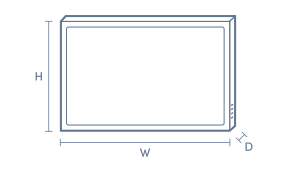
A: Alienware AW2726DL is 613.5mm wide, so it fits comfortably on most standard desks without being an oversized ultrawide. The panel itself is 48.1mm deep without the stand, but the stand footprint still matters if desk depth is tight.
¤Discounts apply to previous ticketed/advertised price prior to the discount offer. As we negotiate, products will likely have been sold below ticketed/advertised price prior to the discount offer.
▽The Good Guys acts as agent for the supplier of this product. Refer to Agency supplier’s T&Cs available on supplier’s website. Discounts apply to Agency supplier’s list price of the relevant product.
>Qualifying conditions, including signing up to 90 Day StoreCash, activating a Digital Wallet before being eligible to earn/win and where a qualifying purchase is required, delivery/collection of product within 60 days. 90 Day StoreCash expires 90 days after issue. Personal purchases only. Exclusions and purchase limits apply. Each 90 Day StoreCash reward must be used in one transaction and no change/credit for any unused balance. Refer to 90 Day StoreCash T&Cs for details, including how to receive 90 Day StoreCash deposit notifications, how to earn & timing for issue of 90 Day StoreCash.