


Logitech Brio 300 Full HD webcam (Rose)
960-001449


Online Only


Product Overview
Key Features
- Full HD webcam for video calls and streaming
- 1920 x 1080 pixel resolution with 70 degree field of view
- Mono microphone with up to 1.22 metre range
- USB-C connection and 1.5 metre cable length
Key Specifications
- Brand:
- Logitech
- Model Number:
- 960-001449
- Camera:
- 70 degrees
- Resolution Type:
- Full HD
- Microphone:
- Mono, Range: Up to 1.22 m
- Connections:
- USB-C
- Type:
- Webcam
Cameras
- Motion Tracking:
- 1x Digital zoom
Screen Technology
- Display Resolution (px):
- 1920 x 1080, Full HD
General Information
- Colour:
- Pink
- Supplier Colour:
- Rose
- System Requirements:
- Windows 10 or later, macOS 10.15 or later, ChromeOS (2GB RAM or more needed for 1080p video streaming and 1GB RAM is typically needed for streaming 720p)
- What's In The Box:
- Brio 300 with attached USB-C cable, Fixed mount clip, User documentation
Warranty
- Manufacturer's Warranty:
- 1 Year
Cameras
- Motion Tracking:
- 1x Digital zoom
General Information
- Colour:
- Pink
- Supplier Colour:
- Rose
- System Requirements:
- Windows 10 or later, macOS 10.15 or later, ChromeOS (2GB RAM or more needed for 1080p video streaming and 1GB RAM is typically needed for streaming 720p)
- What's In The Box:
- Brio 300 with attached USB-C cable, Fixed mount clip, User documentation
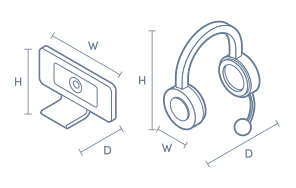
Product Dimensions
- Product Height (mm):
- 65.63
- Product Width (mm):
- 53.1
- Product Depth (mm):
- 45
- Product Weight (g):
- 74.6
- Cord Length (m):
- 1.5
Box Dimensions
- Box Height (mm):
- 116
- Box Width (mm):
- 73
- Box Depth (mm):
- 87
- Box Weight (kg):
- 0

No reviews found for this product.
Product Reviews of Logitech Brio 300 Full HD webcam (Rose)

Overall Rating Snapshot
You've viewed 0 of 0 reviews
The below information is AI generated based on Australian websites information around this item. We have done our best to ensure its accuracy but suggest verifying any information within this tab before purchasing.
At a glance
The Logitech Brio 300 is a stylish Full HD webcam suited to students, remote workers and anyone wanting a simple upgrade over a built-in laptop camera. Its strengths are easy USB-C setup, clear 1080p video and a physical privacy shutter. The main limitation is that its mono microphone and basic feature set are better for everyday meetings than premium streaming or content creation.
What it’s great for
- Video Calls
- Remote Work
- Online Study
- Everyday Productivity
- Home Office Meetings
Where it works best
- Home Office
- Study Desk
- Shared Workspace
- Corporate Office
Who it’s for
- Remote Worker
- University Student
- Everyday Professional
- Home Office User
Things to consider
This webcam is best for straightforward meetings and classes rather than premium streaming, advanced image tuning or wider group framing.
Remote work suitability
8/10 - Strong fit for everyday meetings thanks to Full HD video, a built-in mic and privacy shutter.
Gaming vs office fit
Better for office and study use than gaming or streaming.
Audio/video quality score
7/10 - Clear 1080p video for calls, with serviceable built-in mono audio for personal use.
Plug-and-play ease
9/10 - Simple USB-C connection and broad OS support make everyday setup straightforward.
Key benefits
- Full HD 1080p video: Delivers clear video for everyday meetings, classes and personal calls.
- USB-C connection: Makes setup simple on compatible modern laptops and desktops without extra adapters in many cases.
- Integrated privacy shutter: Lets you physically cover the lens when the webcam is not in use for added peace of mind.
- Mono microphone with 1.22 m pickup range: Captures your voice clearly at typical seated desk distance for daily calls.
- 70 degree field of view: Frames a single user well for focused one-person calls and presentations.
- 1.5 m cable: Gives flexible placement on a monitor or desk without needing to sit right next to the computer.
- Broad platform compatibility: Works with Windows 10 or later, macOS 10.15 or later, and ChromeOS for easier integration into mixed-device environments.
- Rose finish with recycled plastic content: Adds a softer, more stylish look while using at least 48% recycled plastic.
Q: Can the Brio 300 record or stream in 4K video?
A: No. Logitech Brio 300 is a Full HD webcam with a maximum video resolution of 1920 x 1080. It suits everyday calls and study use, but it is not the right pick if 4K capture is a requirement for your setup.
Q: Will this webcam work with a laptop that only has USB-A?
A: Yes, but only with a suitable adapter because Logitech Brio 300 has an attached USB-C cable. It works with Windows 10 or later, macOS 10.15 or later, and ChromeOS, so the port type is the main setup check.
Q: Is the built-in microphone enough for normal desk video calls?
A: Yes. The built-in mono microphone is designed to pick up voice within 1.22 metres, which suits a typical seated desk setup. It is better for one person's everyday calls than for wider room pickup or group meetings.
Q: Does Brio 300 fit better for one person or small groups?
A: Brio 300 fits one person better. Its 70 degree field of view is aimed at a single user at a desk, so it keeps framing tighter for work calls and interviews rather than trying to cover a wider shared space.
Q: How much RAM is recommended for 1080p streaming?
A: Logitech recommends 2GB RAM for 1080p streaming on Brio 300. That suits regular Full HD calling on a compatible device, but overall call quality still depends on your internet connection and the app you are using.


