


Logitech Brio 300 Full HD webcam (Graphite)
960-001437


Online Only
INSTANT DEAL
Get $40 off when you spend $300-$399.99 or $60 off when you spend over $400 on a Range~~
Use promocode SPRING in cart.
~~Ends 11.59pm AEDT 31/10/2026. Excludes Apple, Mobile Phones, Dyson Airwrap (113161-01) & Dyson Travel Hair Dryer (492459-01), products marked special order, sold out, unavailable, coming soon and shipped by “supplier”, all Pre-orders, Telstra Plans, digital vouchers, gaming credits and streaming services, Gift Cards, Gaming Consoles, Gaming Accessories & VR Headsets, Services, Gold Service Extras, Installation & Delivery. For online purchases, excludes products marked as in store only. You must spend over the eligible amounts on eligible products excluding delivery in a single transaction to use the Code. Code can be used in store, over the phone and via online chat. Code cannot be used on any commercial orders. For instore and over the phone purchases, code will be applied at point of sale. For online purchases code must be applied in cart to receive the discount. Code can be used in conjunction with any available Price Beat online. Offer applies to the current ticketed price of relevant products. As prices change regularly and we frequently run sales and negotiate on price, some products are likely to have been sold below the current price prior to this offer. Prices may change after offer ends.


Product Overview
Key Features
- Full HD webcam for video calls and streaming
- 1920 x 1080 pixel resolution with 70 degree field of view
- USB-C connection and 1.5 metre cable included
- Mono microphone with up to 1.22 metre range
INSTANT DEAL
Get $40 off when you spend $300-$399.99 or $60 off when you spend over $400 on a Range~~
Use promocode SPRING in cart.
~~Ends 11.59pm AEDT 31/10/2026. Excludes Apple, Mobile Phones, Dyson Airwrap (113161-01) & Dyson Travel Hair Dryer (492459-01), products marked special order, sold out, unavailable, coming soon and shipped by “supplier”, all Pre-orders, Telstra Plans, digital vouchers, gaming credits and streaming services, Gift Cards, Gaming Consoles, Gaming Accessories & VR Headsets, Services, Gold Service Extras, Installation & Delivery. For online purchases, excludes products marked as in store only. You must spend over the eligible amounts on eligible products excluding delivery in a single transaction to use the Code. Code can be used in store, over the phone and via online chat. Code cannot be used on any commercial orders. For instore and over the phone purchases, code will be applied at point of sale. For online purchases code must be applied in cart to receive the discount. Code can be used in conjunction with any available Price Beat online. Offer applies to the current ticketed price of relevant products. As prices change regularly and we frequently run sales and negotiate on price, some products are likely to have been sold below the current price prior to this offer. Prices may change after offer ends.
Key Specifications
- Brand:
- Logitech
- Model Number:
- 960-001437
- Camera:
- 70 degrees
- Resolution Type:
- Full HD
- Microphone:
- Mono, Range: Up to 1.22 m
- Connections:
- USB-C
- Type:
- Webcam
Cameras
- Motion Tracking:
- 1x Digital zoom
Screen Technology
- Display Resolution (px):
- 1920 x 1080, Full HD
General Information
- Colour:
- Black
- Supplier Colour:
- Graphite
- System Requirements:
- Windows 10 or later, macOS 10.15 or later, ChromeOS (2GB RAM or more needed for 1080p video streaming and 1GB RAM is typically needed for streaming 720p)
- What's In The Box:
- Brio 300 with attached USB-C cable, Fixed mount clip, User documentation
Warranty
- Manufacturer's Warranty:
- 1 Year
Cameras
- Motion Tracking:
- 1x Digital zoom
General Information
- Colour:
- Black
- Supplier Colour:
- Graphite
- System Requirements:
- Windows 10 or later, macOS 10.15 or later, ChromeOS (2GB RAM or more needed for 1080p video streaming and 1GB RAM is typically needed for streaming 720p)
- What's In The Box:
- Brio 300 with attached USB-C cable, Fixed mount clip, User documentation
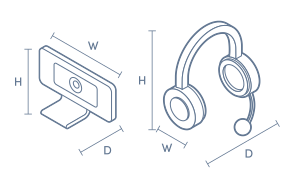
Product Dimensions
- Product Height (mm):
- 65.63
- Product Width (mm):
- 53.1
- Product Depth (mm):
- 45
- Product Weight (g):
- 74.6
- Cord Length (m):
- 1.5
Box Dimensions
- Box Height (mm):
- 116
- Box Width (mm):
- 73
- Box Depth (mm):
- 87
- Box Weight (kg):
- 0

Product Reviews of Logitech Brio 300 Full HD webcam (Graphite)

Overall Rating Snapshot
5 out of 5 stars from 2 reviews
100% of users recommend this product
Quality and clarity
The Logitech full he web can is very good quality product and easy to plug and play setup with my pc. Video and sounds quality is best. Very satisfied
Chatura
Confirmed purchase 26 January 2026
Published on 11 June 2026
Yes, I recommend this product.
This customer is a verified purchaser who may have received an incentive in return for providing an authentic review.
Webcam
Good little plug in webcam - no fuss, great for Teams or Zoom
David
Confirmed purchase 13 March 2025
Published on 9 April 2025
Yes, I recommend this product.
This customer is a verified purchaser who may have received an incentive in return for providing an authentic review.
You've viewed 2 of 2 reviews
ABOUT THE GOOD GUYS REVIEWSThe Good Guys product reviews are collected from verified purchasers who may have received an incentive in return for providing an authentic review.
The below information is AI generated based on Australian websites information around this item. We have done our best to ensure its accuracy but suggest verifying any information within this tab before purchasing.
At a glance
The Logitech Brio 300 is a straightforward Full HD webcam for everyday calls, remote work and online meetings. It suits home office users, students and professionals who want easy USB-C setup, clear 1080p video and flexible placement. Its wide 70 degree view helps frame one person or a small group. The main limitation is that it uses a mono microphone and lacks higher-end imaging features found in premium webcams.
What it’s great for
- Video Conferencing
- Remote Work
- Online Meetings
- Everyday Collaboration
- Study Calls
Where it works best
- Home Office
- Corporate Office
- Study Desk
- Shared Workspace
Who it’s for
- Remote Worker
- Everyday Professional
- University Student
- Hybrid Worker
- Small Team User
Things to consider
Compared with premium webcams, it has a simpler mono microphone setup, fixed field of view and no advanced imaging options such as higher-than-Full-HD capture or more specialised low-light performance.
Remote work suitability
8/10 - Strong fit for everyday remote meetings thanks to Full HD video, USB-C connectivity and broad OS compatibility.
Gaming vs office fit
Better suited to office work, study and video conferencing than specialist streaming or gaming setups.
Audio/video quality score
7/10 - Clear 1920 x 1080 video and usable onboard audio, but the mono microphone and basic feature set are more meeting-focused than premium content creation focused.
Plug-and-play ease
9/10 - Easy to mount, simple USB-C connection and compatible with Windows, macOS and ChromeOS.
Key benefits
- Full HD 1080p video: Delivers clear video for meetings, classes and everyday calls.
- 70 degree field of view: Captures a comfortable frame for one person or a small group without needing to sit too close.
- USB-C connectivity: Connects directly to modern desktops and laptops with a USB-C port for simple setup.
- Fixed mount clip: Attaches easily to monitors and laptops for quick placement in everyday workspaces.
- Mono microphone with 1.22 m range: Helps pick up your voice clearly during calls from a practical desk distance.
- 1.5 m cable: Gives added flexibility when positioning the webcam around your desk or monitor.
- Windows, macOS and ChromeOS support: Works across common operating systems for easier use with mixed-device setups.
- Digital zoom: Lets you adjust framing for presentations, calls or tighter head-and-shoulders shots.
Q: Does this webcam work with USB-A computers or only USB-C ports
A: It is designed for direct connection to desktops and laptops with a USB-C port. If your computer only has USB-A, this is not the simple plug-in choice because the attached cable ends in USB-C.
Q: Is Brio 300 better for meetings than streaming setups
A: Yes. Logitech Brio 300 is aimed at everyday video calls and online meetings, with Full HD video and a built-in mono microphone. It is less suited to streaming-style setups that need more flexible audio control.
Q: What does the 70 degree view look like in practice
A: The 70 degree field of view is wide enough for one person at a desk and can also fit a second person nearby. It is not an ultra-wide room view, so larger group calls will need people seated fairly close to the camera.
Q: How well does the built in mic pick up voices
A: The built-in mono microphone is designed to pick up voices from as far as 1.22 metres away. That suits a normal desk setup or a small meeting huddle, but it is not the right choice for clear room-wide audio.
Q: Will the 1.5 metre cable reach a tower PC setup
A: The attached 1.5 metre cable gives more placement flexibility than a very short webcam lead. It should suit a monitor with a nearby desktop tower, but it is not intended for placing the camera far away from the computer.
Q: Do you need extra software to start using Brio 300
A: No. Logitech Brio 300 is designed for straightforward setup on compatible Windows, macOS and ChromeOS devices through its USB-C connection. Basic calling use is plug-and-play rather than a webcam that needs complex initial setup.