
eufy Vacuum buying guide
Explore our extensive range of eufy RoboVacs with powerful suction and innovative features including iPath™ Laser Navigation, AI.See™ obstacle avoidance and mopping capabilities.


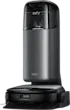



Featured: eufy Robovac OMNI S2
Get a deeper clean with the eufy Robovac OMNI S2, featuring strong, tangle-free suction that simplifies and enhances everyday cleaning. Enjoy powerful cleaning with AeroTurbo 2.0 delivering 30,000 Pa suction and 365‑day filter cleanliness. Intelligent carpet cleaning automatically adjusts suction and height for carpets up to 5cm, lifting the mop to keep rugs dry, and smoothly avoids tassels for uninterrupted performance.
For mopping, the HydroJet™ 2.0 feature delivers a deeper clean you can see and feel. Using 15N of pressure, 240 RPM scrubbing speed, and electrolysed water, it tackles stubborn stains head-on, while self-cleaning the roller mop in real time to stay fresh throughout the entire clean. CornerRover brushes reach 100% of corners and edges, keeping the mop just 0.5cm from walls for a truly thorough finish.
Powered by CleanMind AI, Omni S2 sees and thinks like a pro. 3D MatrixEye™ 2.0 detects over 200 obstacles, customises cleaning by room, crosses thresholds up to 4.2cm, and avoids objects as small as 1cm. Paired with the 12-in-1 UniClean™ Station which washes, dries, disinfects, refills detergent, and stores dust for up to 68 days, you get a fully hands-free experience. Add zero-tangle brushes, app-controlled multi-floor mapping, and a built-in diffuser that freshens rooms for up to 120 hours, and you have effortless cleaning wrapped in refined elegance.
Discover our favourite three features of the eufy Robovac OMNI S2 below ...

AeroTurbo™ 2.0 long-lasting suction
AeroTurbo™ 2.0 delivers 30,000 Pa suction and 365 day filter cleanliness, lifting dirt from carpets and floors.

HydroJet™ 2.0 System
Combines 15N pressure, 240 RPM speed, and electrolysed water to scrub away stains.

DuoSpiral™ detangle brushes
DuoSpiral and anti-tangle brushes prevent hair clogs, ensuring smooth, strong suction every time.


eufy Vacuum Range

card media link to https://www.thegoodguys.com.au/eufy-robovac-e25-omni-t2353t11
High-pressure cleaning to conquer every mess with the eufy Robovac E25 Omni.

card media link to https://www.thegoodguys.com.au/eufy-robovac-omni-s2-t2081t11
A powerful cleaner with strong suction and tangle-free precision.

card media link to https://www.thegoodguys.com.au/eufy-clean-robovac-l60-ses-t2278t11
Clean with eufy L60, the self-empty station provides up to 60 days of hands-free cleaning.

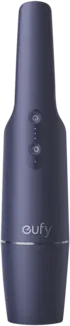
card media link to https://www.thegoodguys.com.au/eufy-pure-air-handheld-vacuum-blue-t2520z31
Effortlessly tackle cleaning with the lightweight and compact eufy Pure Handheld Vacuum.
eufy Vacuum FAQs
Cleaning your Eufy robovac is easy. After powering off and unplugging, empty the dustbin and clean the filter. Some models offer self-cleaning capabilities. the E25 Omni can wash its own mop, while the DuoSpiral™ brushes prevent hair tangles at the source, ensuring peak performance with minimal effort. Regular maintenance keeps your vacuum running smoothly for longer.
To connect your Eufy vacuum to Wi-Fi, start by downloading the eufy app on your smartphone or tablet. Create an account if you haven't already and ensure your vacuum is powered on and in pairing mode. Open the app, select "Add Device," and follow the on-screen instructions to connect your vacuum to Wi-Fi.
The charging time for a Eufy vacuum can vary depending on the model and its battery capacity. Generally, it takes around 4 to 6 hours to fully charge a Eufy vacuum from a completely depleted battery. It's essential to refer to the user manual or specifications of your specific Eufy vacuum model for accurate information on charging times.
Yes, although most robovacs require Wifi for the initial setup. Some eufy robovacs are fully offline and can be controlled using buttons or a remote control, while others will vacuum without Wifi but need internet connection for personalisation settings and smart features.