loading
loadingloading

Press Esc to close the search results, the Up and Down arrow keys to navigate the results, and Enter to select a result.



No reviews found for this product.

You've viewed 0 of 0 reviews
The below information is AI generated based on Australian websites information around this item. We have done our best to ensure its accuracy but suggest verifying any information within this tab before purchasing.
The Apple Mac Studio M2 Max 512 SSD is a compact premium desktop for creators, developers and professionals who need serious performance without a large tower. Its strengths are fast workflow handling, quiet operation and tight integration with the Apple ecosystem. It is best for demanding desk-based work, but the 512GB internal storage may feel limiting if you manage large media libraries locally.
The 512GB internal storage can be restrictive for large video, photo or audio projects, so some users may need external storage sooner than expected.
9/10 - Excellent fit for editing, design, audio and other demanding creative workflows in a compact desktop format.
9/10 - Strong choice for advanced home office users who want high performance, quiet running and a small desk footprint.
3/10 - Best treated as a fixed-spec system, with limited internal upgrade flexibility compared with traditional desktop towers.
8/10 - Typically quieter than many high-performance desktops, which suits studios and focused work environments.
No - desktop unit only; requires separate display and accessories.
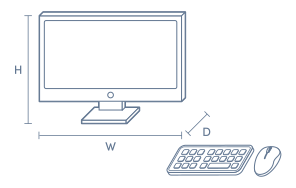
A: No. Mac Studio is a desktop computer only, so a monitor, keyboard and mouse or trackpad are usually needed separately. That matters if replacing an all-in-one iMac, because the display and input devices are not built in.
A: It can be enough for apps, documents and active projects, but 512GB fills quickly with large photo libraries, 4K or 8K video, sample packs or virtual machines. Because the internal SSD is not user-upgradeable, heavy creators often add fast external storage.
A: Yes. Mac Studio M2 Max is designed for multi-monitor setups and can drive several external displays through its Thunderbolt and HDMI connections. The exact mix depends on each screen's resolution and refresh rate, so check monitor compatibility first.
A: No. On Apple silicon Mac Studio models, the unified memory and internal SSD are built into the system and are not intended for user upgrades. External drives can expand storage later, but memory capacity needs to be chosen before purchase.
A: Yes, if workloads are heavier. Mac Studio M2 Max is aimed at sustained pro tasks such as video editing, large photo libraries, music production and 3D work, where stronger graphics, more ports and better cooling matter more than compact size.
A: Yes, many Intel-based Mac apps can still run using Apple's Rosetta 2 translation, so older software often remains usable on Mac Studio. Performance and compatibility can vary, though, especially with niche plug-ins, drivers or older professional tools.
¤Discounts apply to previous ticketed/advertised price prior to the discount offer. As we negotiate, products will likely have been sold below ticketed/advertised price prior to the discount offer.
▽The Good Guys acts as agent for the supplier of this product. Refer to Agency supplier’s T&Cs available on supplier’s website. Discounts apply to Agency supplier’s list price of the relevant product.
>Qualifying conditions, including signing up to 90 Day StoreCash, activating a Digital Wallet before being eligible to earn/win and where a qualifying purchase is required, delivery/collection of product within 60 days. 90 Day StoreCash expires 90 days after issue. Personal purchases only. Exclusions and purchase limits apply. Each 90 Day StoreCash reward must be used in one transaction and no change/credit for any unused balance. Refer to 90 Day StoreCash T&Cs for details, including how to receive 90 Day StoreCash deposit notifications, how to earn & timing for issue of 90 Day StoreCash.