Sign up to Earn or Access 90 Day StoreCash> here

Sign up to Earn or Access 90 Day StoreCash> here

The Good Guys
The Good Guys
Stores
loading...
Seen it Cheaper?1300 942 765
Logo

Microsoft Surface Pro (11th Ed) Copilot+ PC 13" OLED X Elite 12 Core 16GB 512GB - Dune

ZIA-00046
NOT AVAILABLE
+ Delivery from $6

This product is no longer available. Please browse our Shop Products menu or Search above for an alternative.

Microsoft Surface Accessories Notice: Surface Pro Signature Keyboard & Pen sold separately.

You May Also Like

You May Also Like

You May Also Like

You May Also Like

Product Overview

** Pen and Surface Pro Flex Keyboard accessories sold separately** Elevate your computing experience with the Microsoft Surface Pro (11th Edition) Copilot+ PC 13" OLED X Elite 16GB 512GB in stunning Dune. Featuring a vibrant 13" OLED PixelSense Flow display with a 2880 x 1920 resolution, 267PPI, and up to 120Hz refresh rate, this tablet delivers breathtaking visuals for work and entertainment. Powered by the Qualcomm Snapdragon X Elite processor with 12 cores and 3.8GHz speed, along with 16GB LPDDR5x RAM and 512GB nVME storage, it offers lightning-fast performance for seamless multitasking. Stay connected with WiFi 7, Bluetooth v5.3, and a range of ports including 2 x USB-C USB4, 1 x Surface Type Cover port, 1 x Surface Charging & Dock port, and an M.2 rSSD port. Capture precious moments with the 10MP rear camera capable of 4K @ 30fps recording and the 12MP front camera with 1440p QHD @ 30fps recording. Enjoy all-day productivity with the 7029mAh battery providing approximately 14 hours of battery life. Measuring 287 x 208 x 9.3mm and weighing just 900g, this sleek and portable device is perfect for on-the-go use. The manufacturer's part number for this product is ZIA-00046. Upgrade to the Microsoft Surface Pro (11th Edition) Copilot+ PC and experience the ultimate in portable computing.

Key Features

  • 13 Inch OLED screen, 2880 x 1920, 150 nits peak
  • Snapdragon X Elite 10 Core, 16GB LPDDR5x, Windows 11 Home
  • Rear 10MP 4K and front 12MP QHD cameras
  • 7029mAh battery, up to 14 hour battery life
Microsoft Surface Accessories Notice: Surface Pro Signature Keyboard & Pen sold separately.

Key Specifications

Brand:
Microsoft
Model Number:
ZIA-00046
Screen Size (Inches):
13
Peak Brightness (Nits):
150
Storage Capacity:
512GB
Cellular or Wi-Fi Only:
Wi-Fi Only
Battery:
7029mAh, approx 14 hour battery life
Supplier Colour:
Dune
Processor:
Snapdragon X Elite (10 Core), 3.4 GHz Processor Speed

Screen Technology

Display Resolution (px):
2880 x 1920

Screen Features

Screen Size Range:
13 - 13.9 Inches

Capacity

Memory:
LPDDR5x 16GB

Connections

Wireless Connections:
Wi-Fi 7, Bluetooth v5.4
Wired Connections:
2x USB Type-C Port

Cameras

Front Camera:
12MP, 1440p QHD @ 30fps recording
Rear Camera:
10MP, 4K @ 30fps recording
Video:
Up to 4K

General Information

Type:
Tablet
Family:
Surface Pro (11th Edition)
Colour:
Brown
Operating System:
Windows 11 Home
Sensor Technology:
Accelerometer, Gyroscope, Magnetometer, Ambient Color
Additional Features:
Qualcomm Hexagon NPU, Qualcomm Adreno GPU, 3:2 aspect ratio
What's In The Box:
Surface Pro (11th Edition), Quick Start Guide, Safety and warranty documents, 39W Power Supply, SIM card access tool

Warranty

Manufacturer's Warranty:
1 Year

Screen Technology

Display Resolution (px):
2880 x 1920

Capacity

Memory:
LPDDR5x 16GB

Cameras

Front Camera:
12MP, 1440p QHD @ 30fps recording
Rear Camera:
10MP, 4K @ 30fps recording
Video:
Up to 4K

Warranty

Manufacturer's Warranty:
1 Year

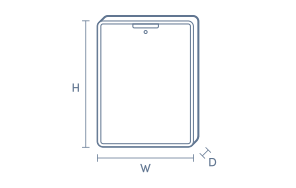
Product Dimensions

Product Height (mm):
287
Product Width (mm):
209
Product Depth (mm):
9.3
Product Weight (g):
895

Box Dimensions

Box Height (mm):
50
Box Width (mm):
228
Box Depth (mm):
307
Box Weight (kg):
2

No reviews found for this product.

The below information is AI generated based on Australian websites information around this item. We have done our best to ensure its accuracy but suggest verifying any information within this tab before purchasing.

At a glance

The Microsoft Surface Pro 11th Edition is a premium 2-in-1 tablet PC for students, professionals and frequent travellers who want full Windows flexibility in a slim, lightweight design. Its standout strengths are portability, a sharp OLED display and strong productivity potential with the right accessories. One limitation is that the best laptop-like experience depends on add-ons such as a keyboard and pen, which may be sold separately.

What it’s great for

  • Everyday Productivity
  • Office Work
  • Student Computing
  • Travel-Friendly Computing
  • Note Taking
  • Streaming Media
  • Light Creative Work

Where it works best

  • Home Office
  • University Campus
  • Corporate Office
  • Hybrid Work Setups
  • On the Go
  • Client Meetings

Who it’s for

  • University Student
  • Everyday Professional
  • Remote Worker
  • Frequent Traveller
  • Executive User
  • Digital Note Taker

Things to consider

It is highly versatile, but compared with a traditional premium laptop or specialist creative tablet, comfort for long typing sessions and some pen-focused workflows can depend on optional accessories and personal setup.

Student suitability score

9/10 - excellent for lectures, research, note taking and portable study, though the full setup is best with optional accessories.

Travel portability rating

9/10 - very easy to carry for commuting and flights thanks to its compact 13-inch tablet-first design.

Creative use fit

Well suited to note taking, sketching, marking up documents and light design work; less specialised than dedicated creative workstations.

Family sharing suitability

7/10 - great for browsing, streaming and light shared use, but its premium positioning makes it better suited to a primary personal user.

Productivity vs entertainment balance

Strongly productivity-focused with very good entertainment appeal thanks to the OLED display and portable tablet format.

Key benefits

  • 2-in-1 Design: Switches easily between tablet, sketching and laptop-style work to suit study, meetings and travel.
  • 13-inch OLED Display: Delivers deep contrast and vibrant colour that makes documents, streaming and visual content look more immersive.
  • Windows Compatibility: Runs familiar desktop apps and multitasking tools that many users rely on for work and study.
  • Slim Portable Build: Easy to carry between classes, meetings or flights without the bulk of a larger laptop.
  • Touch and Pen-Ready Experience: Supports natural note taking, annotation and sketching for more flexible input than a standard clamshell laptop.
  • Copilot+ PC Platform: Built for modern AI-assisted Windows features that can streamline everyday tasks and content workflows.
  • Premium Presentation: The Dune finish gives it a polished, high-end look suitable for professional and personal use.
  • Flexible Workspace Fit: Works well at a desk with accessories or on its own for quick tasks, reading and presentations.

Q: Does this Surface Pro include the keyboard and pen in the box?

A: No. The Surface Pro 11th Edition tablet is typically sold separately from the Surface Pro Keyboard and Surface Slim Pen. That matters if you want a full laptop-style setup for typing, handwriting or sketching from day one.

Q: Will normal Windows apps run on this Snapdragon X Elite Surface Pro?

A: Most everyday Windows apps will run, including many native ARM apps and others through Windows emulation. The main caveat is older specialist software, drivers or some games may not behave the same as they do on an Intel laptop.

Q: Can this Surface Pro connect to an external monitor or dock?

A: Yes. This model uses USB-C with USB4, so it can connect to compatible monitors, hubs and docks for data, charging and display output. A dock or adapter may still be needed if your monitor uses HDMI, DisplayPort or older USB-A accessories.

Q: Is the 13 inch OLED display a good choice for work as well as streaming?

A: Yes. The 13 inch OLED screen suits movies and photo viewing because it delivers stronger contrast and richer blacks than a standard LCD. For office work, the main trade-off is that glossy OLED panels can show more reflections in bright rooms.

Q: Is this Surface Pro practical as a laptop replacement for travel or hybrid work?

A: Yes, if you plan to use it with the optional keyboard. Its 2-in-1 design gives tablet flexibility for reading, notes and drawing, while the kickstand makes desk use easier. It is less suited to lap use than a fixed-hinge clamshell notebook.

Q: Is this model suitable for handwriting, note-taking and drawing?

A: Yes. The Surface Pro 11th Edition is built around a touchscreen tablet design, so it suits handwritten notes, sketching and mark-ups when paired with a compatible pen. For the full experience, the pen needs to be purchased separately if not included.