


Apple Mac mini M2 Pro 512GB SSD
MNH73X/A
NOT AVAILABLE


Product Overview
Key Features
- 16GB memory, Apple M2 Pro 10 core CPU, 512GB SSD
- 16 core Apple integrated GPU
- Built-in speaker, Dolby Atmos, high impedance headphone support
Key Specifications
- Brand:
- Apple
- Model Number:
- MNH73X/A
- Graphics Processing Unit:
- Apple Integrated
- Total Storage:
- 512GB
- Wireless Connections:
- Wi-Fi 6E (802.11ax), Bluetooth v5.3
- Operating System:
- macOS Ventura
Computers & Tablets
- Processor Brand:
- Apple
- Processor Specifications:
- Apple M2 Pro 10 core CPU (6 Performance, 4 Efficiency), 16 core Neural Engine
- GPU Specificiations:
- 16 core GPU
Screen Features
- Screen Size Range:
- 11.9 Inches & Below
Capacity
- Storage:
- 512GB SSD
- RAM (GB):
- 16
Connections
- Wired Connections:
- 4 x Thunderbolt 4, 2 x USB-A Gen 3, HDMI, Gigabit Ethernet (10Gb), 3.5mm Headphone Jack
- Cellular or Wi-Fi Only:
- Wi-Fi Only
Audio
- Sound:
- Built-in speaker, HDMI supports multichannel audio output, high impedance headphone support
General Information
- Type:
- Mac mini
- Family:
- Mac mini M2 Pro
- Colour:
- Silver
- Release Year:
- 2023
- Additional Features:
- Supports up to 3 external displays via Thunderbolt & HDMI (max: 6K@60Hz Thunderbolt, 4K@240Hz/8K@60Hz HDMI), DisplayPort, Dolby Vision, Dolby Atmos, Over 40% recycled content in the entire product
- What's In The Box:
- Mac mini, Power Cord
Warranty
- Manufacturer's Warranty:
- 1 Year
Computers & Tablets
- Processor Brand:
- Apple
- Processor Specifications:
- Apple M2 Pro 10 core CPU (6 Performance, 4 Efficiency), 16 core Neural Engine
- GPU Specificiations:
- 16 core GPU
Capacity
- Storage:
- 512GB SSD
- RAM (GB):
- 16
Audio
- Sound:
- Built-in speaker, HDMI supports multichannel audio output, high impedance headphone support
Warranty
- Manufacturer's Warranty:
- 1 Year
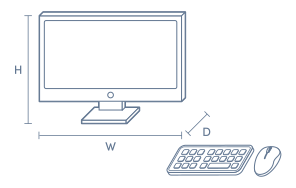
Product Dimensions
- Product Height (mm):
- 35.8
- Product Width (mm):
- 197
- Product Depth (mm):
- 197
- Product Weight (kg):
- 1.28
Box Dimensions
- Box Height (mm):
- 120
- Box Width (mm):
- 244
- Box Depth (mm):
- 253
- Box Weight (kg):
- 2

Product Reviews of Apple Mac mini M2 Pro 512GB SSD

Overall Rating Snapshot
5 out of 5 stars from 3 reviews
100% of users recommend this product
Excellent little beast
Purchased for Music Production and hasnt skipped a beat. Having 4 Thunderbolt ports allows for all of my devices to be connected without requiring a dock. I would recommend this as far as bang for buck, if you already have a monitor. The M2 Pro chip and 16GB RAM make it a great performer for what i need, no need for a MacBook unless you need portability .....
Damo
Confirmed purchase 4 October 2023
Published on 26 October 2023
Yes, I recommend this product.
This customer is a verified purchaser who may have received an incentive in return for providing an authentic review.
Mac mini is suit for any size of monitors that you like to try to.
Mac mini is suit for any size of monitors that you like to try to.
Mina heo (seon min heo)
Confirmed purchase 1 June 2023
Published on 16 June 2023
Yes, I recommend this product.
This customer is a verified purchaser who may have received an incentive in return for providing an authentic review.
Good value for me
Small, but powerful, have an iMAC 24 as well and they're both excellent decided to give Windows the flick and apart from a couple of minor software's I had to purchase most of my productivity software had a MAC version :) I'm happy
Daryl
Confirmed purchase 24 May 2023
Published on 8 June 2023
Yes, I recommend this product.
This customer is a verified purchaser who may have received an incentive in return for providing an authentic review.
You've viewed 3 of 3 reviews
ABOUT THE GOOD GUYS REVIEWSThe Good Guys product reviews are collected from verified purchasers who may have received an incentive in return for providing an authentic review.
The below information is AI generated based on Australian websites information around this item. We have done our best to ensure its accuracy but suggest verifying any information within this tab before purchasing.
At a glance
The Apple Mac mini M2 Pro 512GB SSD is a compact premium desktop built for users who want fast macOS performance without taking up much desk space. It suits professionals, creators and home office users who value speed, quiet operation and a clean setup. Its main limitation is limited internal upgradeability compared with larger desktop PCs and workstations.
What it’s great for
- Everyday Productivity
- Home Office Work
- Creative Projects
- Software Development
- Multitasking
- Content Creation
Where it works best
- Home Office
- Studio Desk
- Corporate Office
- Remote Work Setup
- Small Workspace
Who it’s for
- Creative Professional
- Remote Worker
- Everyday Professional
- Developer
- Small Business User
- Apple Ecosystem User
Things to consider
It offers strong performance in a very small form factor, but it is not as upgrade-friendly as a conventional desktop tower and may be less suitable than higher-end workstations for highly specialised heavy-duty workflows.
Creative professional suitability
8/10 - Strong fit for photo, design, music and many video workflows, though the most demanding specialist production tasks may suit higher-end desktop systems better.
Home office fit
9/10 - Excellent for premium home office setups thanks to its compact size, quiet behaviour and strong multitasking capability.
Upgrade flexibility score
3/10 - Best treated as a fixed-configuration desktop, with far less internal upgrade freedom than a traditional tower PC.
Noise level vs category average
9/10 - Typically quieter than many desktop PCs in its performance class, especially in everyday office and creative use.
All-in-one convenience
No - compact desktop only, so you supply your own monitor, keyboard and mouse for a more tailored setup.
Key benefits
- Compact Design: Fits easily on crowded desks, shelves or studio setups without sacrificing a full desktop experience.
- Pro-Class Performance: Handles demanding multitasking, creative apps and professional workflows more comfortably than basic desktop models.
- Quiet Operation: Runs very quietly in typical office and creative use, making it well suited to shared spaces and focused work.
- macOS Experience: Delivers a polished, consistent desktop environment that works smoothly with other Apple devices and services.
- Front and Rear Connectivity: Makes it easier to connect everyday accessories, displays and external storage without cluttering your setup.
- Premium Build Quality: Feels solid and durable for long-term desk use in home, office or studio environments.
- Small Workspace Friendly: Ideal for users who need desktop capability in apartments, reception desks or minimalist work areas.
- Display Flexibility: Supports a capable multi-display setup for productivity, editing and professional desk workflows.
Q: Why is the Apple Mac mini M2 Pro usually priced lower than other Macs with similar performance?
A: Because this Mac mini is a desktop computer only. It includes the M2 Pro chip, 16GB unified memory and 512GB SSD, but not a display, battery, keyboard or trackpad, so more of the cost goes into performance rather than built-in extras.
Q: Can this Mac mini M2 Pro run multiple external monitors?
A: Yes. The M2 Pro version supports up to three displays when using two displays up to 6K at 60Hz over Thunderbolt and one display up to 4K at 60Hz over HDMI. That matters if a dual or triple-screen desk setup is part of the plan.
Q: Is the memory or SSD upgradeable later on this Mac mini?
A: No. This model comes with 16GB unified memory and a 512GB SSD, and those internal components are not designed for user upgrades after purchase. Choosing enough memory and storage at the start is important if large apps or media files are part of daily use.
Q: Is the Mac mini M2 Pro a good fit for video editing and other heavier creative work?
A: Yes. The M2 Pro chip in this model has a 10-core CPU, 16-core GPU and hardware acceleration for H.264, HEVC, ProRes and ProRes RAW, which makes it better suited to editing and export work than the standard M2 version.
Q: How long is the Mac mini M2 Pro likely to receive macOS updates?
A: Apple does not publish a fixed support end date for each Mac. As a guide, Macs often receive major macOS updates for around 6 to 8 years from release, so a 2023 Mac mini should remain usable and current for several years.
Q: Does this Mac mini M2 Pro include a monitor, keyboard or mouse in the box?
A: No. Mac mini is sold as the computer itself, so a monitor, keyboard and mouse or trackpad are chosen separately. That gives more flexibility for desk setup, but it also means existing accessories and display connections should be checked before buying.