


Apple Mac Studio with M5 Max chip, 18-core CPU, 32-core GPU 36GB, 512GB
MHL64X/A


Online Only


Apple Mac mini with M5 Pro chip, 15-core CPU, 16-core GPU, 24GB, 512GB SSD
MHQN4X/A
No reviews yet
$2699

Apple iMac 24" Retina 4.5K Display with M6 chip 12-core GPU 16GB 256GB - Blue
MH1H4X/A
No reviews yet
$2699


Apple iMac 24" Retina 4.5K Display with M6 chip 10-core GPU 16GB 256GB - Silver
MH064X/A
No reviews yet
$2399

Apple iMac 24" Retina 4.5K Display with M6 chip 12-core GPU 16GB 256GB - Pink
MH1P4X/A
No reviews yet
$2699

Apple iMac 24" Retina 4.5K Display with M4 chip 8-core GPU 16GB 256GB - Silver
MWUC3X/A
(6 Reviews)
$2399

Apple iMac 24" Retina 4.5K Display with M4 chip 10-core GPU 16GB 256GB - Blue
MWV13X/A
(3 Reviews)
$2699
Apple Mac mini with M5 Pro chip, 15-core CPU, 16-core GPU, 24GB, 512GB SSD
MHQN4X/A
No reviews yet
$2699
Apple iMac 24" Retina 4.5K Display with M6 chip 12-core GPU 16GB 256GB - Blue
MH1H4X/A
No reviews yet
$2699
Apple iMac 24" Retina 4.5K Display with M6 chip 10-core GPU 16GB 256GB - Silver
MH064X/A
No reviews yet
$2399
Apple iMac 24" Retina 4.5K Display with M6 chip 12-core GPU 16GB 256GB - Pink
MH1P4X/A
No reviews yet
$2699
Apple iMac 24" Retina 4.5K Display with M4 chip 8-core GPU 16GB 256GB - Silver
MWUC3X/A
(6 Reviews)
$2399
Apple iMac 24" Retina 4.5K Display with M4 chip 10-core GPU 16GB 256GB - Blue
MWV13X/A
(3 Reviews)
$2699
Product Overview
Key Features
- Apple M5 Max 18-core CPU and 32-core GPU
- 36GB RAM and 512GB storage
- Wi-Fi 7 and Bluetooth v6 connectivity
- Multiple USB-C, Thunderbolt 5, HDMI 2.1 ports
- Built-in speaker and SDXC card slot
Key Specifications
- Brand:
- Apple
- Model Number:
- MHL64X/A
- Graphics Processing Unit:
- Apple Integrated
- Total Storage:
- 512GB
- Wireless Connections:
- Wi-Fi 7 (802.11be) and Bluetooth v6
- Operating System:
- macOS
Computers & Tablets
- Processor Brand:
- Apple
- Processor Specifications:
- Apple M5 Max 18-core CPU with 6 super cores and 12 performance cores
- GPU Specificiations:
- 32-core GPU
- Card Reader:
- SDXC card slot (UHS-II)
Screen Features
- Screen Size Range:
- 11.9 Inches & Below
Capacity
- RAM (GB):
- 36
Connections
- Front Wired Connections:
- 2x USB-C, SDXC card slot (UHS-II)
- Back Wired Connections:
- 4 Thunderbolt 5 (USB‑C), USB 3, DisplayPort 2.1, 2x USB 3 (USB‑A) HDMI 2.1, 3.5-mm headphone jack
- Cellular or Wi-Fi Only:
- Wi-Fi Only
Audio
- Sound:
- Built-in speaker
General Information
- Type:
- Mac mini
- Family:
- Mac Studio
- Colour:
- Silver
- Release Year:
- 2026
- What's In The Box:
- Mac Studio, Power cord
Warranty
- Manufacturer's Warranty:
- 1 Year
Computers & Tablets
- Processor Brand:
- Apple
- Processor Specifications:
- Apple M5 Max 18-core CPU with 6 super cores and 12 performance cores
- GPU Specificiations:
- 32-core GPU
- Card Reader:
- SDXC card slot (UHS-II)
Capacity
- RAM (GB):
- 36
Audio
- Sound:
- Built-in speaker
Warranty
- Manufacturer's Warranty:
- 1 Year
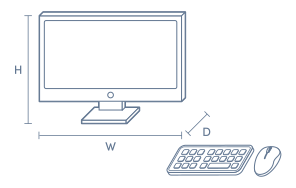
Product Dimensions
- Product Height (mm):
- 95
- Product Width (mm):
- 197
- Product Depth (mm):
- 197
- Product Weight (kg):
- 2.7
Box Dimensions
- Box Height (mm):
- 216
- Box Width (mm):
- 282
- Box Depth (mm):
- 50
- Box Weight (kg):
- 29

No reviews found for this product.
Product Reviews of Apple Mac Studio with M5 Max chip, 18-core CPU, 32-core GPU 36GB, 512GB

Overall Rating Snapshot
You've viewed 0 of 0 reviews
The below information is AI generated based on Australian websites information around this item. We have done our best to ensure its accuracy but suggest verifying any information within this tab before purchasing.
At a glance
The Apple Mac Studio with M5 Max is a premium compact desktop for creators, developers and professionals who need serious performance in a quiet, space-saving design. It suits video, design, coding and AI-assisted workflows thanks to strong graphics and fast ports. Its main limitation is flexibility: storage and memory choices are not user-upgradable later, so you need to choose your configuration carefully upfront.
What it’s great for
- Creative Production
- Video Editing
- Graphic Design
- Music Production
- Software Development
- AI-Assisted Workflows
- Professional Multitasking
Where it works best
- Home Office
- Creative Studio
- Corporate Office
- Production Desk
- Developer Workspace
Who it’s for
- Creative Professional
- Designer
- Video Editor
- Music Producer
- Software Developer
- Power User
- Remote Professional
Things to consider
This configuration is powerful, but users needing later memory or storage upgrades may prefer a more modular desktop tower.
Creative professional suitability
9/10 - Excellent fit for video, design, audio and graphics-heavy workflows in a compact desktop format.
Home office fit
9/10 - Quiet operation, compact size and strong multitasking make it a strong premium home office desktop.
Upgrade flexibility score
3/10 - Best configured correctly at purchase, as internal upgrade options are limited compared with modular desktop towers.
Noise level vs category average
9/10 - Quieter than many high-performance desktop systems, especially under sustained professional workloads.
All-in-one convenience
No - compact desktop only, so you will need to add your own monitor, keyboard and mouse.
Key benefits
- Compact Desktop Design: Fits neatly under most monitors and suits desks where space is limited.
- M5 Max Performance: Handles demanding creative apps and professional multitasking with strong desktop-class speed.
- 32-Core GPU: Delivers strong graphics capability for rendering, effects work and other visually intensive tasks.
- Thunderbolt 5 Connectivity: Four high-bandwidth ports make it easier to attach fast storage, displays and pro accessories.
- Multi-Display Support: Can drive up to five external displays for expansive editing, trading or multitasking setups.
- Quiet Thermal System: Designed to stay unobtrusive during heavy workloads, making it well suited to shared or focused workspaces.
- Front SDXC Card Slot: Makes it quicker to ingest photos and video from compatible cameras without extra adapters.
- Wi-Fi 7 and Bluetooth 6: Supports the latest wireless standards for modern networks and accessories, subject to local availability.
Q: Can you upgrade the RAM or SSD later on this Mac Studio
A: No. Apple Mac Studio is best treated as a fixed-configuration desktop, with 36GB of unified memory and 512GB of internal storage chosen at purchase. If your projects grow, expansion is more practical through Thunderbolt 5 or USB storage.
Q: Is 512GB enough for video editing and creative work
A: It can be, but 512GB fills quickly once footage, sample libraries or large project files build up. Apple Mac Studio suits active project work on the internal drive, but many creators will want fast external storage for media archives or scratch files.
Q: Can this Mac Studio connect to multiple monitors at once
A: Yes. Apple Mac Studio can connect to 5 external displays, which suits editing, coding or large multitasking setups. Check your monitors use compatible inputs, because display connections are handled through Thunderbolt 5 and HDMI 2.1.
Q: Does it work with older USB-A accessories and newer USB-C gear
A: Yes. This Mac Studio includes 2 USB-A ports on the back for older peripherals and USB-C on both the front and back for newer devices. Very high-speed accessories are better matched to the Thunderbolt 5 ports rather than standard USB connections.
Q: What ports are on the front for quick file transfers
A: The front has 2 USB-C ports and an SDXC card slot with UHS-II support, which is useful for cameras and portable drives. Apple Mac Studio keeps most permanent expansion on the back, so cables for docks and storage can stay out of the way.
Q: Is this Mac Studio quiet enough for audio or studio work
A: Yes. Apple Mac Studio uses an advanced thermal system designed to stay quiet during intensive tasks, which suits shared desks and recording spaces. It is still a high-performance desktop, so connected drives and other accessories may add their own noise.

Apple Mac mini with M5 Pro chip, 15-core CPU, 16-core GPU, 24GB, 512GB SSD
MHQN4X/A
No reviews yet
$2699


Apple Studio Display 27" Standard glass VESA mount adapter (Stand not included)
MFEY4X/A
No reviews yet
$2599
