
Samsung Cooking buying guide
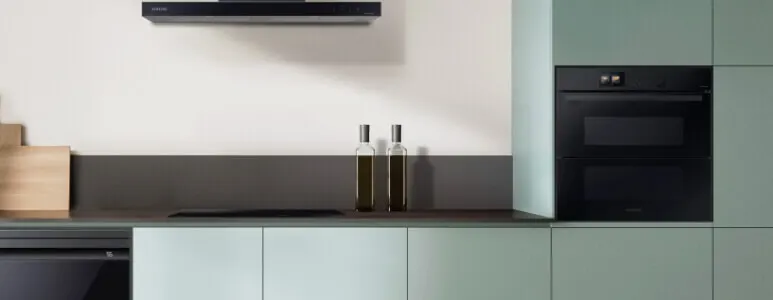
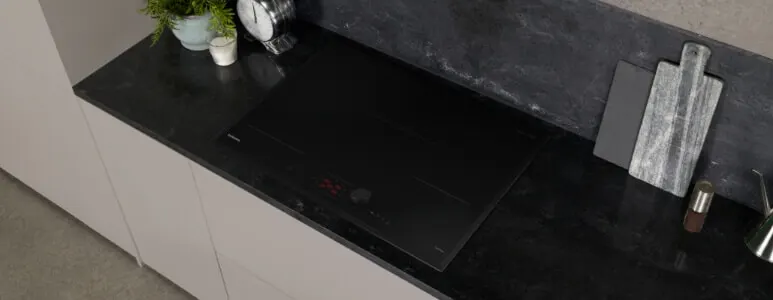
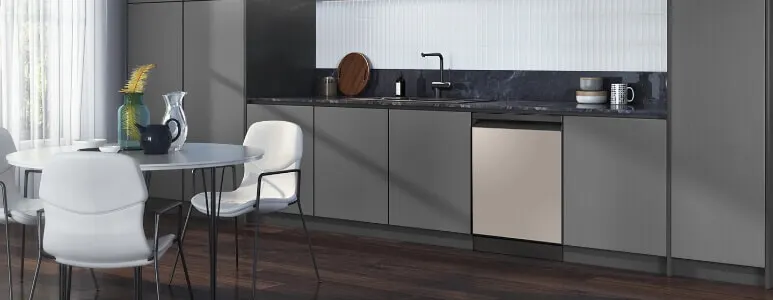
Discover Samsung's Cooking range including Ovens, Cooktops, Rangehoods and Dishwashers. Flexible kitchen appliances that adapt to your needs, seamlessly integrating into your life to make chores easier. Discover the incredible tech, like AI Cameras1, plus stylish finishes to complement any kitchen.

Featured: Samsung's Series 6 Oven
More than an oven, meet Samsung's 60cm 76L Built-in Pyrolytic Flex Door Oven with AI Camera. Featuring an innovative AI Camera1, becoming a pro in the kitchen has never been simpler (or smarter). Using camera's inside your oven to keep an eye on the food, or even film your meal as it cooks! Click 'Read More' below to learn more about the incredible tech.
Discover our favourite three features of the Series 6 Oven below ...

card media link to https://www.thegoodguys.com.au/samsung-pyrolytic-flex-door-ai-oven-nv7b6799aak
Have a quick peak inside without opening! Samsung's Series 6 Oven Features an AI Camera1 to help you cook like a pro.

card media link to https://www.thegoodguys.com.au/samsung-pyrolytic-flex-door-ai-oven-nv7b6799aak
Whether you want one big oven, or two small, to steam, or air fry - this Oven has everything covered!

card media link to https://www.thegoodguys.com.au/samsung-pyrolytic-flex-door-ai-oven-nv7b6799aak
With AI1 and Pyrolytic cleaning, this Oven is jam-packed with incredible user friendly features.
Learn More About Samsung Cooking & Fridges

card media link to /whats-new/samsung-kitchen-appliances-of-the-future
AI chef: Samsung serves up the future of cooking
February 22•6 mins readSamsung are taking over kitchen duty with some of the smartest cooking appliances we’ve ever seen. We’re talking super intuitive AI oven tech, cooktops and rangehoods with Wi-Fi connectivity, customisable dishwashers and feature-packed fridges that will fill your water jug for you.
“For sleek, modern kitchen appliances powered by mind-blowing artificial intelligence and next-gen tech, Samsung’s latest range is everything that kitchen dreams are made of,” says Tania Grillinzoni, The Good Guys Buyer – Cooking and Dishwashers.
“These Samsung kitchen appliances are on the cutting edge of kitchen ingenuity and they’ve got designer looks too. Home interior aficionados are raving about the range which allows you to match your cooking appliances, fridge and dishwasher for a complete suite of curated appliances – a huge win for cohesive kitchen design.”
Keen to complete your dream kitchen with a suite of Samsung appliances designed for convenience, style and mealtime mastery? Here are the appliances you need.
Read more.

card media link to /whats-new/meet-the-star-fridge-of-the-samsung-kitchen
Fridge benefits: meet the star of the Samsung kitchen!
November 2•4 mins readOptimal cool, elegant design and energy efficiency – the best fridges have it all. “When you’re upgrading, the aim is to find a fridge that helps you save on food waste and energy use and, at the same time, serves up new features that help make life just that bit easier,” says Peter Simic, The Good Guys Buyer – Refrigeration. “With a Samsung French door fridge, you’re onto a winner.”
Cue the Samsung 648L French Door Refrigerator – the heart of the modern kitchen and the centre of operations in a busy household. This hero of the Samsung 7000 Series French Door Refrigerator range offers plentiful storage, top cooling tech and easy convenience (iced water on tap!). And did we mention its exceptional good looks?
“This is fridge design at its finest,” says Peter Simic. “The built-in Beverage Centre dispenses ready-made ice and water on the inside, while the exterior sits flush with joinery for a seamless, modern look.”Here’s how the latest Samsung French door fridge keeps things cool, calm and complementary in a Samsung kitchen.
Read more.
card media link to /whats-new/introducing-samsung-french-door-fridge-range
Your guide to Samsung’s French Door Fridge Range
January 30•4 mins readThe luxurious range of Samsung French Door Fridges are sure to take centre stage in anyone’s kitchen, thanks to their sophisticated style and efficiency. This guide will step you through the latest Samsung 7000 Series and the Samsung 5000 Series French Door Fridges which feature a variety of innovative features that really prove there is a Samsung Fridge perfect for every Australian family.
Read more.

card media link to /whats-new/meet-the-2025-samsung-tvs-that-are-more-than-just-a-screen
Meet the 2025 Samsung TVs that are more than just a screen
April 28•3 mins readWhether you love chasing the thrill of live sport, binge-watching your favourite show or living your best gamer life in your downtime, the 2025 TV line-up from Samsung has something for everyone.
But here’s what’s really cool – these TVs are also redefining what screens can do. While some models can shape-shift into gallery-worthy art, the headline is that the 2025 range is powered by Samsung Vision AI. It’s so good, you’ll be left wondering if there’s anything a new Samsung TV can’t do!
We’ve taken 10 of the latest Samsung TVs for a test drive so you can find your perfect match. But first …
Samsung Lifestyle TV FAQs
When you want to use the timer, press Timer.
Enter your desired amount of time using the number pad. ...
If you make a mistake, press Timer or the OFF/CLEAR button to clear the timer. ...
When you're ready, press START/SET to begin the timer.
When the set time has elapsed, the oven will beep and the display will show "End" until you press the Timer pad.
To cancel the timer at any time, press and hold Timer for 3 seconds. This will return the display to the clock view.
Samsung ovens have a myriad of cooking modes across their range of ovens. This includes: Convection, Eco Convection, Top Heat + Convection, Bottom Heat + Convection, Pro-Roasting, Conventional, Bottom Heat, Large Grill and Small Grill (Eco Grill).
1 The camera is only operating when the light is on.
2 The SmartThings App is available on Android and iOS devices. A Wi-Fi connection and a Samsung account are required.
3 Only available when using the Auto Cook menu. The type and quantity of some ingredients may not be recognized.
4 Based on an AI-created algorithm and not real-time learning. After the ingredients have been identified and the recipe selected, if pre-heating is required, the ingredients need to be removed from the oven during pre-heating. If pre-heating is not required, they can be cooked immediately after they have been identified.
5 May not work properly when cooking specific food items that are a dark color or have a cover, which can hinder recognition. So you should also monitor the cooking status yourself.
6 Created using only video recorded when the door is closed. After the cooking process ends, it takes about 20 seconds to encode the video in the MPEG file format.
7 Requires a dedicated sous vide cooking bag, which is not included with the oven.
8 Requires a wireless network, a Samsung account and the Samsung SmartThings App. The Samsung SmartThings App supports Android OS 8.0 (Oreo) or later, which is optimized for Samsung smartphones. This App also supports iOS 13 or later for iPhone models. The SmartThings App is available in the App Store and Play Store.
9 Available in certain languages, including English, French, German, Italian and Spanish.